Konami switched off the online servers for eFootball PES 2021, and every online mode went dark with them. This project brings online Quick Match back: one friend runs a small server, everyone else gets one small file, and you play real online matches again.
You need: PES 2021 for PC on Steam (v1.01.00) for every player, and one Linux PC or Steam Deck to host, no extra software. Friends can play on Windows, Linux or Steam Deck.
Where things stand
What you can play today
Early, but real: complete 90-minute online matches have been played from kick-off to full time through this server. Here's exactly what's proven and what isn't yet.
Works
Online login with your own player name
eFootball → Quick Match matchmaking
Full matches: both halves, fouls, cards, half-time
Results saved, then straight into the next match
Kick Off → Friendly Match Lobby: make a room (with a password if you like), your friend picks it from the room list, both press Start Match, play a whole match, and you're both back in the room (its match count goes up) for a rematch afterwards
Settings → Online Settings → Edit Profile: your avatar, favourite team, favourite player and comment are kept on the server, and the other player sees your avatar in matchmaking
Online Stats: Last 20 results, a ranking of everyone on your server, and profiles with each player's Online Divisions record, courtesy rating and the teams they chose
Fair play: leaving a match early counts as a 3-0 loss (and a win for the opponent, in ratings and Online Divisions), players who keep quitting get the game's own courtesy warnings, and anyone can put an opponent on their Match Block List so the two are never matched again
Linux, tested with two copies of the game on one PC, running under Proton
Ready, needs testers
Match replays: every online match is recorded, and anyone can watch the newest 20 from eFootball → Online Tournament → Match Replays → pick any team → Match List (a whole 90-minute match replayed to the full-time screen; tested with two copies on one PC)
eFootball → Matchday: one standing event, pick Home or Away and a team, every match adds points for your side (group stage only; a full match played and counted with two copies on one PC)
eFootball → Online Divisions: ten divisions, ten-match seasons with promotion and relegation, the season chart, rating changes and rankings (full matches played with two copies on one PC)
Windows players: the mod is built for Windows, but so far it has only run on Linux under Proton
Starting the game from the Steam client: our tests launched the game directly under Proton
Steam Deck: same as Linux, not yet tried on a Deck
Two separate PCs: connected between two homes once (Windows and Linux); that match ended at kick-off because the two games computed differently, fixed in mod 0.4.0 but not yet confirmed in a match
Hosting from a Steam Deck
The built-in relay for players whose routers block a direct connection: a match has kicked off and been played through it, but only between two copies on one PC so far
Goals: a goal has reached the server from both games (logged on 4 Nov), but no test match has yet been played to full time with a goal in it
eFootball → Online Co-op → Casual Match: one player per side, with CPU teammates. Everyone needs the latest mod (Download the mod for friends)
Not yet
myClub, events and official rankings
Online Co-op with two or three people on a side (the game connects to only one other player)
Tried it on Windows, a Steam Deck, through the Steam client or across two homes? Tell us how it went; it's the most useful thing you can do for the project right now.
For the host: what you get
Your server does the boring parts
No accounts to create, no web services to sign up for, and in most homes no router settings to dig through.
One file for all your friends
The admin page hands you the mod with your server built in. Friends drop it in the game folder; there's nothing to type and nothing to install.
Opens its own ports
Most home routers have a feature called UPnP that lets programs open the ports (doors to the internet) they need. The server uses it, and tells you in plain words if it couldn't, or (when the router answers UPnP) if your provider uses CGNAT (one public address shared by many customers), which blocks visitors.
An admin page
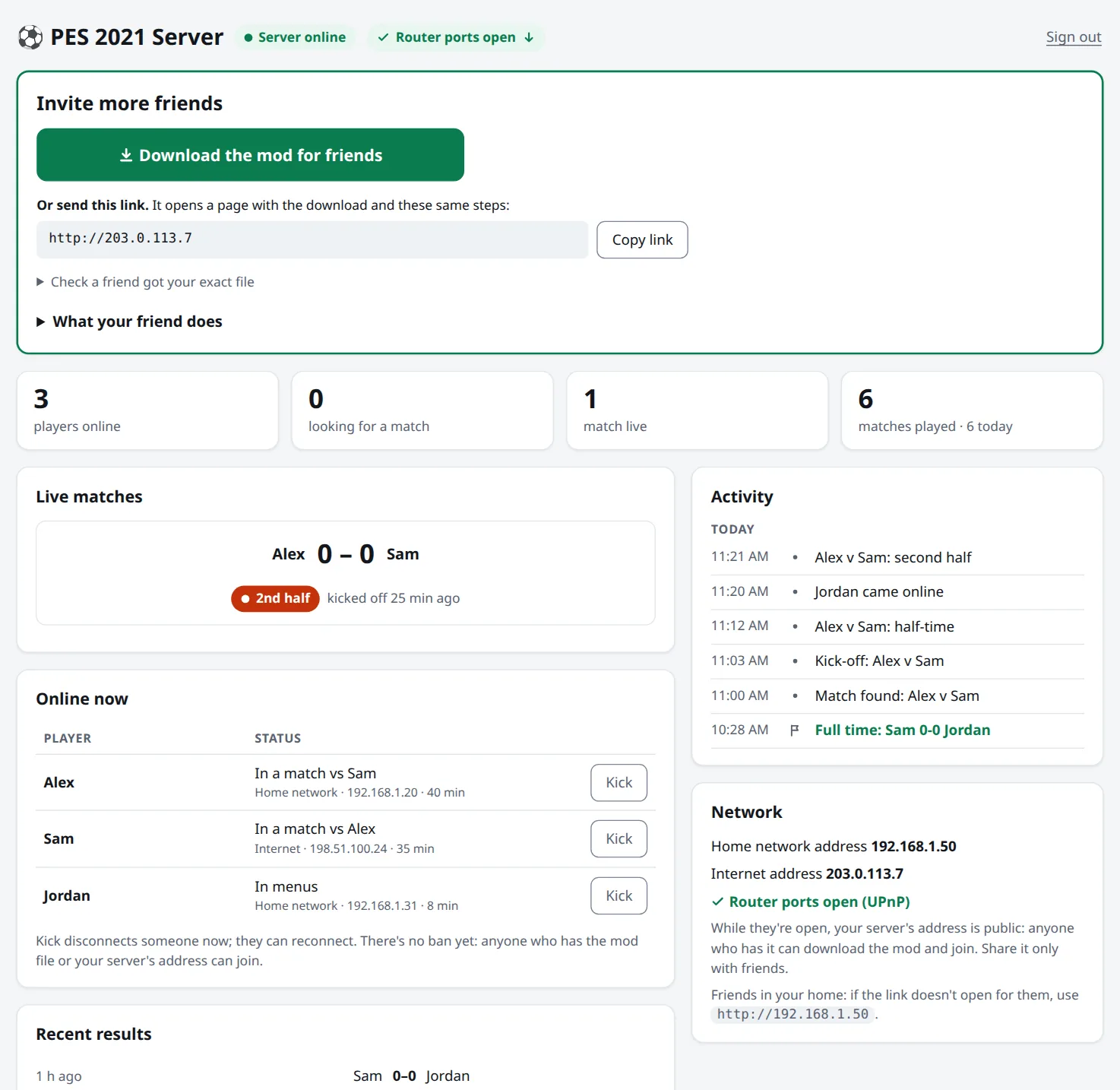
Password-protected: the mod download, one-click install on your own PC, who's online, matches in progress and their stage, final scores, a league table, messages that pop up in your friends' games, a restart warning, and a kick button that tells them why. Put words in blocked_words.txt in the server's data folder and the game refuses them in names, room names and profiles.
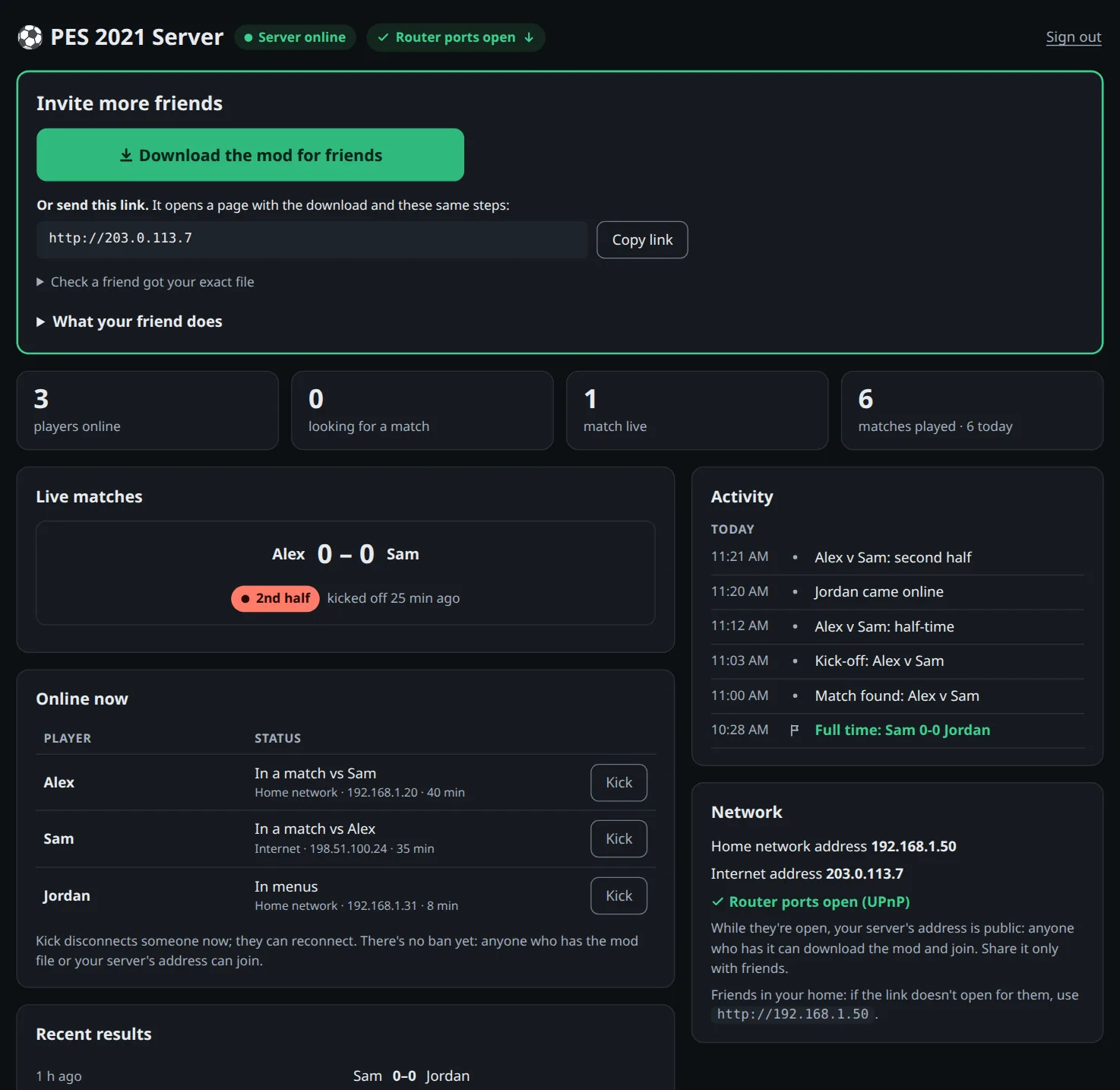
The real admin page, filled with made-up demo players and scores. Tap to open it full size.
Get playing
Three steps, about five minutes
Every player needs their own copy of PES 2021 on Steam (version 1.01.00, the final update). One person hosts; everyone else gets one small file.
1
The host installs the server
One person hosts on their Linux PC or Steam Deck and keeps it on while you play: one line, once, about a minute.
Linux: open a terminal (on Ubuntu Ctrl+Alt+T) and paste the line. Steam Deck: switch to Desktop Mode, open Konsole and paste it.
It downloads the server (about 30 MB, no sudo), runs it in the background (it starts by itself when you log in), adds PES 2021 Server to your apps menu and opens your admin page. You can close the terminal. Updating, restarting and stopping are buttons on the admin page (Server).
Linux or Steam Deck terminal
curl -fsSL https://raw.githubusercontent.com/MohamedAliRashad/pes2021-private-server/main/run.sh | sh
⚽ PES 2021 SERVER ● ONLINE
Admin pagehttp://192.168.1.50/admin
Passwordk7Rm-2Qx9-PaLw
Linux: the admin page is at http://localhost:8080/admin on the server's own PC (from other devices: http://<address>:8080/admin with the password on its Server page). If it says curl: command not found, run sudo apt install curl first. Fedora also needs its firewall opened: sudo firewall-cmd --permanent --add-port={8080,10000}/tcp --add-port={3478,7600}/udp && sudo firewall-cmd --reload
Steam Deck: new, needs testers.
Tested on a desktop Linux PC. Players who use the mod need nothing else; the older "join line" setup without the mod needs port 443, which on Linux only a server started with administrator rights gets.
What the line does
Prefer to read it first? run.sh is about 50 lines.
Downloads the server program from this project's latest release (built by GitHub from the public code) and sets it up as your own user, no sudo: a systemd --user service (so it runs without a window and starts when you log in), an apps-menu entry and the pes2021-server command. Updates from the admin page are checked against the release's checksums and test-run before they replace the program.
Keeps the program, players, results and its log in one folder: ~/.local/share/pes2021-server.
Opens ports on your router (UPnP) so friends outside your home can reach you, and closes them when the server stops; after a power cut they usually expire on their own within 2 hours.
If PES 2021 is installed on this computer, the server puts the mod in by itself and keeps it up to date (only while the game is closed, never over another mod; a switch on the admin page turns it off). On Linux it also sets the Wine option in the game's Proton prefix (only its registry file is changed, and a backup copy, user.reg.pes2021-backup, is kept next to it).
The admin page is plain HTTP and opens only from your home network (and Tailscale).
While your router ports are open, your server's address is public: anyone who has it can open your friends' page, download the mod and join. Block on a player's panel locks one copy of the mod out.
2
The host invites friends
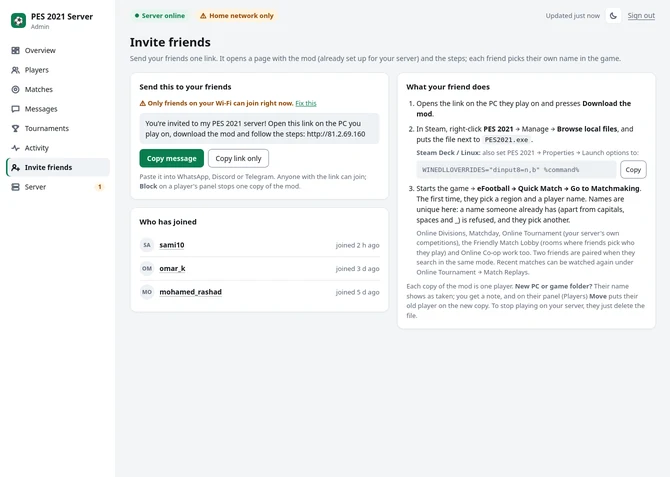
On your admin page open Invite friends and press Copy message: one link for everyone. It opens a page with the mod (already set up for your server) and the steps.
Before you send it, look at the top of your admin page: ✓ Router ports open means friends outside your home should be able to connect. If it says Friends use and your address (you set a fixed one), friends can connect only if that address's ports are open; the server can't check this itself. If it says Home network only, only friends on your Wi-Fi can join; for friends elsewhere, or if it warns about router ports or CGNAT, see Help → For hosts.
Send it on Discord, WhatsApp or Telegram. Each friend picks their own name in the game; names are unique on your server (a friend on a new PC gets their old player back with Move on the admin page).
First test: have one friend start the game. They appear under Online now on your admin page within a minute.
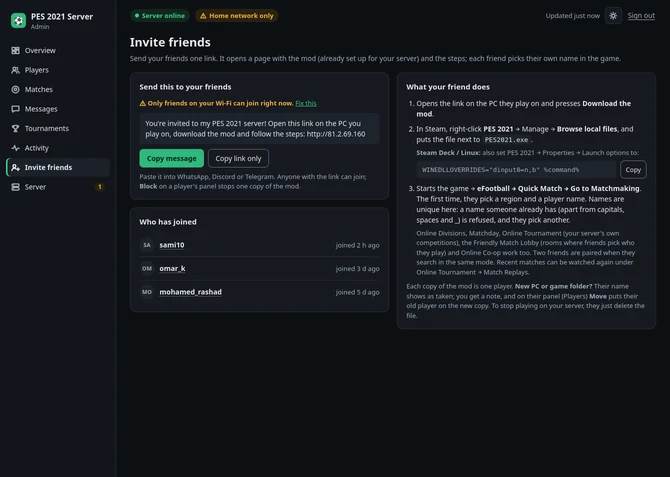
Click or tap to enlarge.
Playing on the same PC? If the installer found PES 2021 on it, the admin page has a The server computer card: close the game and click Install mod.
Why one file is enough
The file carries your server's identity and addresses, so your friends never type anything.
It keeps working after your server restarts: it remembers your server's last address and checks it's really you before connecting.
Some home connections get a new internet address when the router restarts. If friends suddenly can't connect, send the file again (the admin page always shows the current address).
If your server has a web name (for example a free dynamic DNS name, set with PUBLIC_IP=), every copy of the file carries that name and follows address changes by itself (not yet tested with a real dynamic DNS name). Setting PUBLIC_IP turns off automatic router setup, so forward TCP 80, 443, 8080, 10000 and UDP 3478, 7600 to this computer yourself.
3
Friends drop it in and play
Only use a file your host sent you directly.
In Steam, right-click PES 2021 → Manage → Browse local files, and put dinput8.dll in that folder, next to PES2021.exe (your browser saved it in Downloads: drag it from there, or right-click → Cut, then Paste). Already a dinput8.dll there from another mod? Move it somewhere safe first: only one file with that name can load.
Steam Deck / Linux only: right-click PES 2021 → Properties → Launch options, and paste this line. On a Steam Deck, switch to Desktop Mode first to download the file (for example from Discord in the browser).
WINEDLLOVERRIDES="dinput8=n,b" %command%
Start PES 2021. The first time, pick your region, accept the terms and choose a player name.
Go to eFootball → Quick Match, pick a team and press Go to Matchmaking. When two players are searching, the server pairs them: press Proceed, then both press Kick Off. With more than two people searching, the server pairs them in the order they searched; you can't pick your opponent yet.
What the mod changes on your PC
Nothing outside the game folder (except its log in %TEMP% if the game folder is read-only). No administrator rights, no hosts file, no certificate, no installer. It only acts while PES 2021 is running.
Inside the game it does two things: when the game asks for Konami's old servers, it answers with your friend's server; and for the game's four network-test names only, it skips the certificate check (those names already point to your friend's verified server).
Undo: delete dinput8.dll (and the launch option on Linux). Open source: read the code.
What success looks like
Check it worked (30 s): after starting the game, open pes2021-online.log in the game folder. A line like server "…" is at 203.0.113.7 (verified) means the mod found your host.
The game's network test passes and the eFootball modes are no longer locked.
After Go to Matchmaking you see "Searching for an opponent…" until a second player searches too.
Then the game shows the matched opponent and a Proceed button.
Only use a mod file from a friend you trust: it's a program that runs inside your game. Get the file straight from your host: they send it to you directly, or you download it from their link at home (not on public Wi-Fi). Avoid copies passed on by other people, and compare its SHA-256 with the one on your host's page.
Stuck? See Help. The mod writes what it did to pes2021-online.log in the game folder.
Help
Something went wrong?
Find what you see. For a friend's problem, the mod's log, pes2021-online.log in their game folder, usually says why. Curious how it all works underneath? Read the technical write-up.
For friends (players)
For friends (players)
Help for players
What you see
What to do
The log (pes2021-online.log) says not found: is the host's server running?
The host's server is off or can't be reached. Ask the host to check it's running; if their internet address changed, they send you a fresh file.
The log says is not this server (bad proof)
Something else answers at your host's old address. Ask your host for a fresh file from their admin page.
The log says no server set up
This dinput8.dll wasn't made by a server (for example a copy you built yourself). Use the file from your host's admin page or download link.
The log has a line starting with ERROR:
The mod couldn't start properly. Delete dinput8.dll, put a fresh copy in, and if it happens again open an issue with the log.
"Unable to connect to the server" when going online
The host's server must be running. If the log says not found, the server is off or unreachable: the host checks it's up and its router ports are open. If the host's internet address changed, they send a fresh file from the admin page.
The browser or Windows says the file may be harmful, or blocks it
Chrome and Edge warn about every .dll download. Choose Keep (Chrome: ⋮ → Keep; Edge: … → Keep → Keep anyway). Discord, WhatsApp and Telegram may show a similar warning; it's the same file, keep it.
Can't find the game folder, or there's no "Browse local files"
In the Steam Library, right-click PES 2021 → Manage → Browse local files. It's usually C:\Program Files (x86)\Steam\steamapps\common\eFootball PES 2021 SEASON UPDATE; on a Steam Deck, /home/deck/.steam/steam/steamapps/common/….
No pes2021-online.log appears in the game folder
Look in %TEMP% too: the mod writes there if the game folder is read-only. If there's no log anywhere, the mod didn't load. Windows hides file endings, so the file should show as dinput8 with type Application extension, not dinput8.dll.txt. Check that dinput8.dll is next to PES2021.exe (not in a subfolder, not renamed to dinput8 (1).dll). On Steam Deck / Linux, check the launch option.
The file disappeared, or antivirus warns about it
The mod isn't code-signed (a certificate costs money this free project doesn't have), and it hooks the game's network functions, which some antivirus tools treat as suspicious. Restore it and allow it if it came from your host, and check its SHA-256 against the one on the host's page. The source and the build recipe (server/mod, built by GitHub from the public code) are public.
The host's link doesn't open for a friend in the host's own home
Many home routers can't open their own internet address from inside. Use the file the host sends, or open http://<host's home address> (the admin page's Network card shows it).
The network test fails, or eFootball modes stay locked
The host checks that all 6 ports are open (UPnP, or forwarded by hand) and that the computer's own firewall allows them (see "nobody else can connect" under hosts). The banner warns if the router ports couldn't be opened.
Matchmaking searches forever
Two players must be in eFootball → Quick Match and searching at the same time.
The match ends right after kick-off ("unforeseen circumstances")
A Windows player and a Linux or Steam Deck player computed the match differently. Both get the mod again from the admin page (0.4.0 or newer keeps their games in step) and the host updates the server.
"Failed to connect with opponent"
The two PCs can't reach each other directly. Try Tailscale (an untested workaround): see playing across the internet.
Windows Firewall asks about PES 2021
Click Allow: matches run directly between the two players' PCs.
The match ends with a "no operation" message
The game's own rule: a player didn't touch the controller for about 50 seconds.
For hosts
For hosts
Help for hosts
What you see
What to do
The window says "The server can't start: port … is already in use"
Another server is already running on this computer: close its window, then paste the line again.
The host's screen says "Router ports are closed"
Turn on UPnP in your router's settings and start the server again, or forward the ports it lists.
The host's screen warns about "CGNAT"
Your internet provider shares one public IP between customers, so friends outside your home can't reach you. Use Tailscale (see playing with friends far away).
It works on the host's PC, but nobody else can connect
The host computer's own firewall is blocking the ports. On Ubuntu with ufw: sudo ufw allow 80,443,8080,10000/tcp and sudo ufw allow 3478,7600/udp. On Fedora: sudo firewall-cmd --permanent --add-port={80,443,8080,10000}/tcp --add-port={3478,7600}/udp && sudo firewall-cmd --reload. On a cloud server, also open them in the provider's firewall settings.
Still stuck? Open an issue with what you see, the friend's pes2021-online.log, and the host's server.log (in the server's data folder).
No. The game's own files stay exactly as Steam installed them; the mod is one extra file next to them, and deleting it puts everything back. Nothing here cracks the game or touches its copy protection, and this project doesn't host or share any game files. You need your own copy of PES 2021 on Steam.
Can this get my Steam account banned?
We know of no way it could, but we can't promise anything. Konami's servers are gone, so there's nothing on Konami's side left to check. The mod doesn't touch Steam or the game's copy protection, and it doesn't change the game's files. Like any game mod, use it at your own risk.
Which version of the game do I need?
eFootball PES 2021 (Season Update) for PC on Steam, at version 1.01.00, the final update. Steam installs it automatically, so a normal Steam copy is already on it. Other versions, other stores, consoles and modified game files aren't supported.
What exactly does the mod do?
PES 2021 loads a file named dinput8.dll from its own folder when it starts; that's the standard way PC game mods load. While the game runs, the mod:
answers the game's "where are Konami's servers?" with your host's server, for the six names the game uses online;
first checks that the address really is your host's server: the server has to prove it holds a secret key that matches the identity written in your file;
for the game's four network-test names only, skips the certificate check, since those names already point to the host's verified server;
writes what it did to pes2021-online.log.
That's all. Besides its own settings and log files next to the game (or its log in %TEMP% if the game folder is read-only), it doesn't change Windows, needs no administrator rights, and stops the moment the game closes. Read the source.
Should I trust a mod file my friend sends?
Only from friends you trust, like any program. It runs inside your game.
Get it straight from your host. They send it to you directly, or you download it from their link at home (not on public Wi-Fi; that link isn't encrypted). Avoid copies passed on by other people.
Check the hash. In the game folder run Get-FileHash .\dinput8.dll on Windows (Linux: sha256sum dinput8.dll) and compare the result with the SHA-256 on your host's download page or admin page (capital or small letters and spaces don't matter). A match means your copy is exactly the file their server hands out; it can't tell you whether you reached the right server in the first place, which is why the first point matters. No match? Ask your host to download it again: the hash changes when the server's address changes.
The key in your log (the first 16 characters after key in the first line of pes2021-online.log; the friends' page shows them split by a space, the admin page as one block) only tells you which server the file connects to.
What's inside: the official build with their server's details written into a fixed 2 KB settings area: its key, name, addresses, its web address if it has one, and an address-book field that's empty for now. The rest is the official build of the public source in server/mod, compiled by GitHub from that public source. It can only make your game talk to their server and can't be redirected elsewhere (unless you switch servers yourself with Shift, see below): a server that doesn't hold their secret key is refused.
The server stores your player name, Steam ID, a random ID the mod makes for your game folder, and match results, sees your IP address, and keeps a log of the game's messages on the host's disk. Like any peer-to-peer game, your opponent's PC connects straight to yours during a match, so it sees your IP address too.
Can I check the mod is really built from the public code?
Mostly, yes. The build is reproducible: server/mod/build.sh with the MinGW compiler the GitHub workflow installs makes a byte-identical dinput8.dll every time (no build date is stamped in), as long as the compiler version is the same. A server's copy differs from that build only in its 2 KB settings area (the server's key, name and addresses). Every server publishes the exact file's SHA-256 and its key fingerprint (the first 16 characters) at http://<server>/status, on its friends' page and on the admin page. Comparing a server's file to your own build byte by byte, outside the settings area, shows nothing else was changed.
How do I undo it?
Delete dinput8.dll from the game folder (and pes2021-online.ini / .log if you like), and on Steam Deck / Linux remove the launch option. If the mod was installed from the admin page on the server computer, click Uninstall there instead (it leaves a backup copy of Wine's settings, user.reg.pes2021-backup). Nothing else was changed.
Set up earlier with a join line? That older method changed your hosts file and installed a certificate. Remove both with the undo line for your system, which comes from this website and works even if the server is gone:
Yes. Replace the file with the one from another host. Or hold Shift while the game starts: a small box lets you paste another server's address (its IP or name), and the mod switches to it. A server you type there is trusted the first time it answers, so only type addresses you got from your host.
Can I play with friends in other cities or countries?
Probably: one test between two homes connected fine (the match itself then needed the mod fix above). The server opens the host's router ports automatically; the match itself then needs the two players' PCs to reach each other directly. If they can't ("Failed to connect with opponent"), put everyone on one private network with Tailscale, a free app for small groups (this workaround is untested too):
Everyone installs Tailscale and joins the host's network.
The host runs the install line again with their Tailscale address (shown in the Tailscale app); the server restarts with it. Friends then open their invite links again for a fresh mod:
Linux or Steam Deck: replace 100.x.y.z with the host's Tailscale address
curl -fsSL https://raw.githubusercontent.com/MohamedAliRashad/pes2021-private-server/main/run.sh | PUBLIC_IP=100.x.y.z sh
The server now has a built-in relay for exactly this case, on by default: when the two PCs can't reach each other, the match runs through the host's server instead (it needs a few more router ports, which the server opens with UPnP). So far it has only been tested on one PC, so Tailscale stays the safe fallback.
For hosts
How do I see the password again, stop or update the server?
The admin page: on the server's own PC it opens without a password: PES 2021 Server in your apps menu (it also starts a stopped server), pes2021-server open, or http://localhost:8080/admin. Other devices on your Wi-Fi or Tailscale use the address and password on its Server page. Away from home, turn on Admin page from the internet on the Network card.
In a terminal:pes2021-server shows the server's screen live, as when you installed it (address, password, who's online, results); Ctrl+C closes the view and the server keeps running. pes2021-server stop stops it.
Update, restart, stop: admin page → Server → The server program. When a newer version is out a banner says so: Update now, or Update when nobody's playing. The server restarts in a few seconds; players, results and friends' mods are kept. Start when I log in switches the background start on or off.
If something is broken, run the install line again: it repairs the setup and updates the program.
Remove everything: click Uninstall on the admin page's server-computer card (if you used it), stop the server, run systemctl --user disable pes2021-server, then delete ~/.local/share/pes2021-server, ~/.config/systemd/user/pes2021-server.service, ~/.local/share/applications/pes2021-server.desktop and ~/.local/bin/pes2021-server. This deletes players, results and the server's identity, so old mod files stop working.
Who can join? Anyone who has your server's mod or address; while your router ports are open, that address is public, so share it only with friends. Block on a player's panel (Players) stops that copy of the mod from signing in.
After I update the server, do friends need a new file?
No: their files keep connecting, because the server's identity is kept. Updates can include fixes to the mod itself, though, and a friend only gets those with a fresh copy. When convenient, download the mod again from the admin page and send it; its SHA-256 on the admin page changes when the file does.
How does the admin page install the mod on the server computer?
The server looks for PES 2021 in your Steam libraries and in ~/Games, and for the game's Proton prefix (its own Windows drive), where it changes only user.reg, with a backup. Install mod puts your server's dinput8.dll next to PES2021.exe and, on Linux, sets Wine to load it for PES 2021 only, so you don't need the launch option (start PES 2021 once before the server, so its Wine prefix exists; otherwise use the launch option). Close the game first. It never replaces another mod's dinput8.dll, keeps a backup of Wine's settings, and Uninstall removes the mod and that Wine setting (the backup user.reg.pes2021-backup and the mod's small .ini/.log files stay).
Can I host from Windows or a Mac?
No: the server runs on Linux or a Steam Deck. Friends who join can play on Windows too. Playing on the PC that hosts works: install the mod from the admin page's server-computer card.
Will our accounts and results survive a restart?
Yes. Player names, results and the server's identity stay on the host's disk through restarts, reboots and updates, and friends' mod files keep working. The only thing that needs a fresh file is the host's internet address changing (unless the server has a web name); on most home connections that's rare, and the server notices within 10 minutes (when PUBLIC_IP isn't set).
About the project
Does it cost anything?
No. The software and the admin page are free, with no accounts or paid services. The start line downloads the server from GitHub, and the server asks a free what-is-my-IP service for its public address. The host just needs a computer that's on while you play.
Is this legal? Is it affiliated with Konami?
It's an independent fan preservation project, not affiliated with Konami, so that a game people paid for keeps working online. It only reimplements the server side of the network protocol, for interoperability, plus a small mod that points the game at it. It contains no Konami code or game assets, only the interface details needed to talk to the game (message field names and the protocol key built into the game). Every player uses their own copy of the game. The project's code is MIT-licensed. PES and eFootball are trademarks of Konami. (This is not legal advice.)
Under the hood
How PES 2021's online mode actually works
Nobody handed us a manual. Other fans' earlier server projects gave useful hints, but this version of the game had to be worked out by watching what it sends, reading how its code reads the replies, and answering it until it believed it was talking to Konami again. Here's what we found, in plain words.
In 30 seconds: the game asks for Konami's servers by name; a small mod inside the game answers with your friend's server instead. Our server then answers in the game's own sealed message format, closely enough that the game believes it's Konami. The match itself goes straight from player to player.
At 04:28 on 4 November, the game sent 152 bytes to a computer that wasn't Konami. Fourteen hours later, two copies of it played a full 90-minute match through that computer. Here's how.
Your game checks in at three desks before you see the menu
When you start the game, it connects to a server address it remembers from Konami and checks in at three "desks" in turn, like at an airport:
1 · Gate"Here are our servers, 53 web addresses you'll need, and today's date."
2 · Account"Who are you?" Recognizes your game folder (by the mod's own ID) and creates your player the first time.
3 · MenuThe online lobby, on a fresh connection. Your game says "still here" every 30 seconds.
Konami's servers no longer answer, so the game can't get past the first desk. Our server just has to be a convincing desk clerk. The game finds it by asking for Konami's server by name, and the mod answers that question before anyone else does:
Game: "where is Konami's gate server?"→mod: 203.0.113.7→your friend's server
The game uses six Konami names online; the mod answers all six. (The first version did this by editing the PC's hosts file instead; chapter 10 tells why we moved on.)
02
Every message is a sealed parcel
The game never sends plain text. Each message is wrapped in four layers, and the server has to unwrap and re-wrap them exactly the same way:
4 · Scrambled and fingerprinted
every byte mixed with a repeating 4-byte pattern, plus a checksum so damage is noticed
3 · Locked
with a key built into the game, then a fresh key the server hands out at login
2 · Squashed
compressed, when the message is big
1 · The letter: { msgid: "CMD_GET_SVRLIST", patch_version: "1.01.00" }
Here is the very first message a real copy of the game sent us, before and after unwrapping:
What travels (first 40 of 152 bytes)
5b ff 2e e4 5b 9f 2e 65 7f 6d
62 e5 27 8e 58 d0 78 15 1a 9d
0c d0 fc 43 01 03 6a 29 fe 7d
a2 6a ad ef 0d 0e 3e b0 f4 85 …
In other words: "please send me the server list." The letter is written in MessagePack, a compact cousin of JSON. The lock is Blowfish, a cipher from the 1990s, with a 56-byte key stored inside the game.
Fun find: the first 16 bytes of that built-in key are identical to a key from Metal Gear Solid V, another Konami game built on the same Fox Engine. Konami reused its own homework.
03
The game is an extremely strict reader
"Almost right" crashes the game.
The game reads replies field by field and either crashes or quietly misbehaves when anything is off:
Wrong format, instant error. Replying in JSON instead of MessagePack gives error C_GKCC_0008_200 at login.
A number where it expects text made the Terms of Use screen pop up again and again, forever.
A setting of zero in the server's timeout values made every match abort while loading.
Obstacle: crashes with no explanation. Wrong guess: fix replies one field at a time. Fix: read the game's own list of fields.
The breakthrough was realising the game describes its own expectations: its code lists the exact fields of almost every reply. We extracted 398 reply formats straight from the game instead of guessing. For the hundreds of messages the server doesn't need to understand, it simply answers "OK", and the game falls back to its built-in defaults.
04
The connection test is a real security check
Before eFootball modes unlock, the game tests your network. It asks a server "what's my address from the outside?" (a STUN check, the standard trick games use to see through home routers), then fetches a small status page over HTTPS.
That HTTPS request checks certificates exactly like a web browser does. A stand-in server without a trusted certificate fails the test, and the online modes stay locked. So for those four network-test addresses only, the mod tells the game to skip the certificate check, and those names already point to your friend's verified server. Everything else the game does online keeps its normal checks.
STUN: "my outside address?"→HTTPS status page certificate checked→eFootball unlocked
05
Matchmaking hinges on one exact sentence
"I'm looking." Then silence, for five minutes.
When you press Go to Matchmaking, the game says "I'm looking" once, then goes completely silent and waits. It never asks again. The server has to tap it on the shoulder with a message that says, precisely, matching finished, who is home, who is away, and where to find each other.
Get one word wrong and the game ignores it, waits five minutes, and shows an error. For a while our two test players sat on "Searching for an opponent…" until the five-minute timeout, over and over.
Before (simplified): five-minute timeout
resultOKmember [ you, them ]
After (simplified): match found
resultOKmatching_state"FINISH"member [ you, them ]
What fixed it: one field, matching_state: "FINISH". It's the value the game's code checks before it moves on to the match.
06
The match itself never goes through the server
You⇄ notes ⇄server⇄ notes ⇄Your friend
You⇄ the match itself, directly ⇄Your friend
Once paired, the two games connect directly to each other and play the match between themselves. The server only passes a few short notes between them ("I'm ready", "I've left") and otherwise stays out of the way. That's why it's tiny: about 50 MB of memory.
It still hears how the match is going, because both games report every stage:
DATASYNC
TEAMSELECT
MATCHMENU
GAMELOAD
ENTRY
1ST
BREAK1
2ND
END
Both games report the same fouls and cards, and their clocks stay in sync. At full time each sends the final score and match stats. The admin page's match stages, results and league table are built from these reports.
07
Error codes are hidden breadcrumbs
Codes like EYRH763 look random. They aren't: the four letters are a scrambled form of the name of the source file where the error happened, and the number is the line in that file. We wrote a small decoder that matches the letters against every file name left inside the game:
Code
Where it comes from
What it meant for us
EYRH763
OnlineModeTaskQuickMatching.cpp
"Match found" message missing a word: gave up after 5 minutes
MMGC_0002
MultiplayCmdTeamDataSync.cpp
Nobody was assigned the home side
QVHE1459
GameModeMatchListenerMatch.cpp
Match loading timed out (those zero timeouts)
Each code pointed straight at the part of the game that was unhappy, which turned hours of guessing into minutes.
The trick, worked through for EYRH763: take the file name, deal its characters into four piles in turn (1st to pile 1, 2nd to pile 2, …, 5th back to pile 1), add up each pile's character codes, divide each total by 26 and turn the remainder into a letter (0 = A, 1 = B, …).
file OnlineModeTaskQuickMatching.cpp
pile 1 2 3 4
sum 810 856 771 657
÷ 26 r 4 r 24 r 17 r 7
letterE Y R Hline 763 (the line in that file)
code EYRH763
08
Our biggest wrong turn
The "secret handshake" was a request for the server list.
The game's code contains a complete "secret handshake" system with its own encryption, and we were sure the first message was that handshake. We spent a long time trying to answer it.
It wasn't. The first message was simply "send me the server list", wrapped in the parcel from chapter 2. A crash trace finally pointed at the real decoder. The handshake code is real, but it belongs to a different connection, most likely the player-to-player link. The lesson: decode what the game actually sends before trusting what its code could do.
What we thought the first message was
secret handshake
answer with a 16-byte key
… the game crashes
What it really was
msgid"CMD_GET_SVRLIST"
"please send me the server list"
… answered, login continues
09
From silence to a full 90-minute match in 14 hours
Between 4 and 5 November 2026, against the original 1.01.00 game (times in UTC+2). One-command hosting followed around midnight:
4 Nov, 04:28 · the game reaches usThe first message is captured: 152 bytes nobody can read yet.
4 Nov, ~15:10 · the first message decodesA crash trace leads to the decoder; the "handshake" turns out to be "send me the server list".
4 Nov, 15:43 · a player is createdAll three desks pass and the first player name is saved.
4 Nov, 15:53 · the connection test passeseFootball modes unlock.
4 Nov, 16:04 · two players matchedAt 16:32 both games reach the pre-match menu together; first kick-off at 17:22.
4 Nov, 18:20–18:52 · a complete 90-minute online matchArsenal v Arsenal, 0–0, kick-off to full time (90 game minutes take about 32 real ones), then straight into the next pairing. Condensed from the server's log:
18:19:24MATCH FOUND room 5 player 2 hosts player 1
18:20:07 phase GAMELOAD both players loading
18:20:52 phase 1ST kick-off18:34:40 phase BREAK1 half-time
18:36:28 phase 2ND second half
18:52:00 phase END full time18:53:04 SEND_GAME_RESULT score 0–0
18:54:05MATCH FOUND room 6 straight into the next one
4 Nov, 21:33–22:05 · the server in DockerFresh container, new players, a full 90-minute match through it.
4 Nov, 23:54 · one command to hostAn install script with automatic router setup and join lines served by the server.
5 Nov, 00:28 · an admin pageThe host can watch matches live, see results and a league table.
5 Nov, 05:28 · the mod's first runThe game logs in through the mod alone, with no hosts file and no certificate on the PC.
5 Nov, 06:21 · one click on the admin pageThe host's own copy gets the mod from the admin page and starts with no launch option.
10
From one line to one file
The smallest change to a player's PC is one file in the game folder.
The first version asked every player to paste a line into a terminal. It ran with administrator rights, edited the PC's hosts file and installed a certificate in Windows. It worked, but it asked friends to trust a lot, and it touched the whole PC for the sake of one game.
The mod does the same two jobs from inside the game instead. PES 2021, like many PC games, loads a file named dinput8.dll from its own folder when it starts. Ours passes the game's controller requests straight on to Windows, and while the game runs it answers the game's "where is Konami?" with your friend's server, and accepts that server for the network test. Close the game and it's gone; delete it (and its small pes2021-online.ini and .log files) and nothing is left.
One more problem: home servers restart, and an old address might later belong to someone else. So each server has a permanent identity, a secret key it never shares, and every copy of the mod carries the matching public half. Before connecting anywhere, the mod sends a random challenge and only accepts an address that answers with the right signature:
mod: "prove it: 7f3a…"→server signs it with its secret key→signature matches: connect
What it buys: the file keeps working after restarts, and nobody else at your friend's old address can pretend to be their server. If the host's internet address changes, they send a fresh file, unless their server has a web name (an address book that fixes this for everyone is planned). Tested with the real game: a restart with a wrong saved address, and a forged "the server moved" note, which the mod ignored.
What's next, and how to help
Next up: confirming the relay and the match rooms between two homes, Online Co-op, an optional address book so a file survives an IP change, and maybe myClub. The most useful help right now is testing on Windows, Steam Deck and across two homes, and reporting what happens.